

If you follow me on YouTube, you know I’m a big fan of planners, planning, and all things relating to staying organized. So, to ring in the new year, I wanted to share my new favorite trick for staying organized.
Google Sheets has a free Social Media Planner template! So my gift to you? A step-by-step tutorial.
1. Open a new Google Sheet. I saved my sheet with the title “Social Media Planner – 2025”
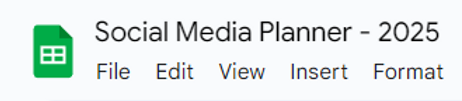
2. Click “Insert”
3. Click “Tables”

On the right side of the page, a new panel will appear.
4. The “Featured” dropdown should already be expanded, but if it isn’t, click on “Featured” or “Marketing”

5. Mouse over “Content Tracker” and to the right of the text, a blue “Insert” button will appear.
Click “Insert”

This will create a new Sheet with the planner template already populated.

When I created my planner for 2025, I had already been using the format for the end of 2024, so I made a copy as I had already setup the “Type” and “Status” dropdown fields to the ones that work for me, but you can edit them at any time and once it is done, adding or removing items is easy.
To edit the dropdowns:
1. Click on one of the “Type” fields.

2. At the bottom of the menu, click on the pencil icon.

This will open a second menu on the right side of the page.
3. Click into any of the fields you’d like to edit and type your changes.

4. You can also change the associated color from the dropdown arrow.
5. Click the trashcan icon next to any items you would like to delete.
6. Click “Add another item” at the bottom of the field to add another editable field.
7. Once you are finished with your changes click “Done”
The same process works for any of the drop-down type fields so you can duplicate as needed changing the status drop-downs to meet your needs.
For “Type” I went with Email, Facebook, Instagram, Threads, YouTube, and Blog post.
For “State” I went with New, Drafting, Drafted, Editing, Edited, Scheduled, and Published.
For more tips on how I stay organized, be sure to sign up for my newsletter, follow me on this blog, and social media linked below.
You can find Chandra online here:
Website: https://www.chandraarthur.com/
YT: https://www.youtube.com/c/ChandraArthur
 Chandra Arthur
Leave a comment